
Each event has a details view. It shows who made the change, from where, and what was there before.
Open the details #
On User Activity → Activity Logs, click an event. Or click ⋮ and then View Details.
The details open in a panel on the right side.
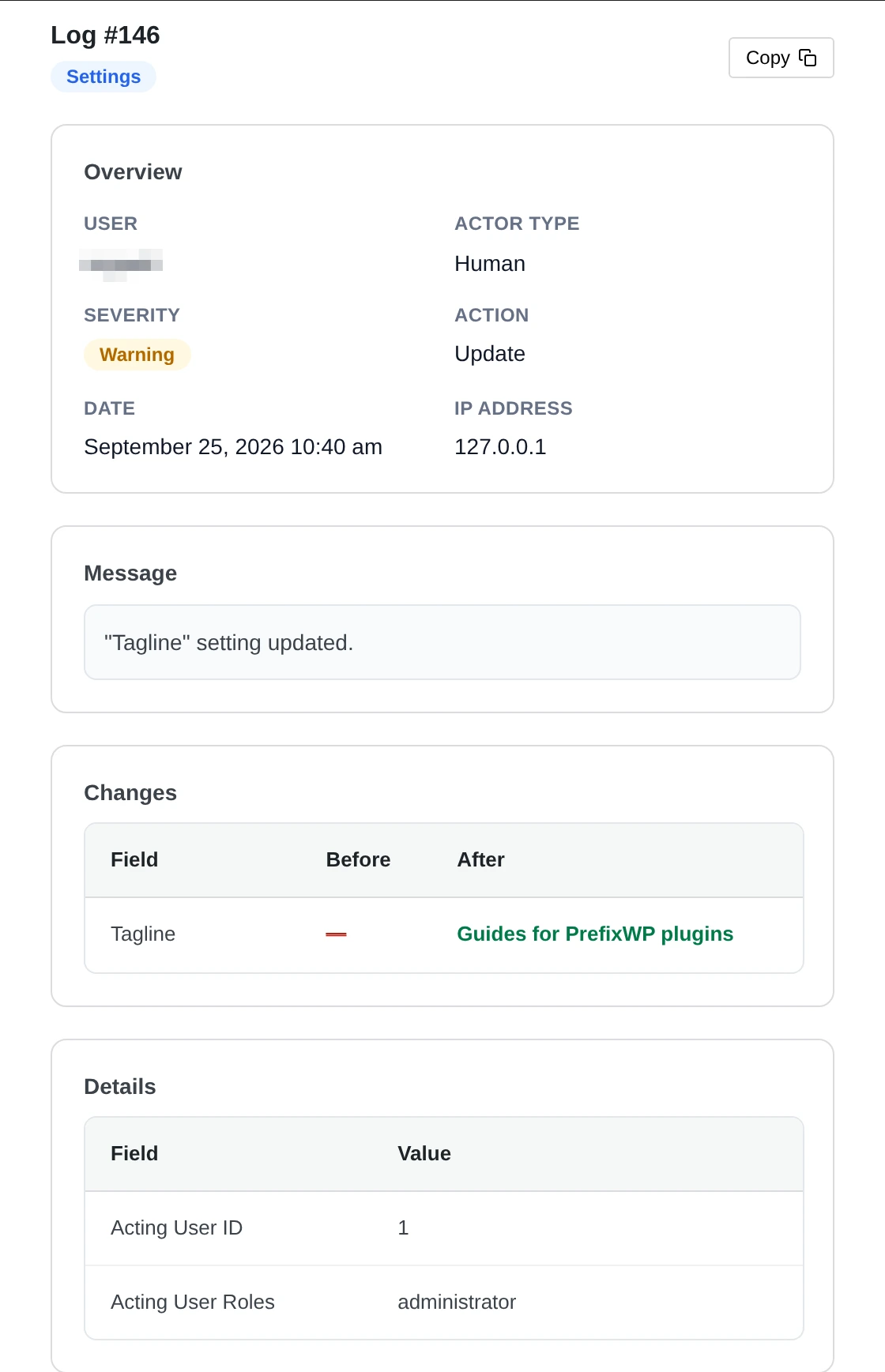
What the details show #
| Part | What it shows |
|---|---|
| Overview | User, actor type, severity, action, date and IP address. |
| Message | The short text of the event. |
| Changes | A table with Field, Before and After. A dash (—) means the field was empty. |
| Details | More facts, for example the user ID and roles of the person who made the change. |
In the example above, an administrator changed the site tagline. Before it was empty. After it was “Guides for PrefixWP plugins”.
For long content changes, Pastmark saves only the changed part. This keeps your database small.
Click Copy at the top of the panel to copy all details.
Open details on their own page #
You can open details on a full page instead of a side panel. Go to User Activity → Settings → General Settings. Under Log Details View, choose Dedicated details page. Click Submit.
Pastmark hides passwords, keys and tokens in the details. They show as ***REDACTED***.